BuyMeACoffee

Buy Me A Coffee
Mostrando las entradas con la etiqueta Cloud Services. Mostrar todas las entradas

domingo, 12 de mayo de 2019

6 Books Every .NET Software Developer must have

.NET Core has been growing up fast, and every day more people are taking advantage of it, while .NET Core has many similarities to .NET Framework, it has many new features and some ways to solve tasks have changed.

Below you will find a list of books which would help you polish your .NET Core Skills

Programming ASP.NET Core (Developer Reference) 1st Edition

This books is a complete guide to .NET Core and many of the features and components surrounding it.  You will learn: .NET Core, Entity Framework Core, ASP .NET Identity in .NET Core, Dependency Injection, using middleware, and more.

While most of the times not visible to the main users of a system, back-ends are a vital part of most systems. Nowadays, it is very important to have the same applications accessible from many platforms (Web, Mobile, Windows, etc), while having the same back-end, this can be easily achieved by exposing your shared functionality as Web APIs.


.NET Core 2.0 By Example: Learn to program in C# and .NET Core by building a series of practical, cross-platform projects

One of the best ways to learn is through examples. You will find a step by step guide from the installation of the required tools up to the implementation of applications running in .NET Core.


C# 7 and .NET: Designing Modern Cross-platform Applications: The Open Source revolution of .NET Core

As time passes and technologies evolve, the way to develop applications also change. Nowadays, it is required to create high-quality modern applications, which are cross-platform and many times open sourced. With this book you will learn the basis for .NET Core based moden web applications and microservices.


Enterprise Application Architecture with .NET Core: An architectural journey into the Microsoft .NET open source platform

Design and Development of Enterprise Applications is more than just coding, it is a set of steps involving methodologies, best-practices and tools to manage the systems lifecycles from its inception up to the release to production and maintenance.
With this book you will learn about DevOps, Agile, basics for enterprise level architectures, distributed computing, microservices, cloud-specific architectures, and even some market trends.


C# 7 and .NET Core 2.0 High Performance: Build highly performant, multi-threaded, and concurrent applications using C# 7 and .NET Core 2.0

Modern applications require to respond very quickly and efficiently, though also many times these systems have the need to perform long-running tasks, which, if not designed correctly, can create bottlenecks and heavily reduce the system performance. With this book, you will learn to design and implement highly performance systems by using such as multithreading and microservices.


miércoles, 28 de septiembre de 2016

¿What is #Customer Finder by @pticostarica? A tool for #entrepreneurs and #SMBs

Customer Finder by PTI Costa Rica is a Cloud-Based system which has the objetive to help Entrepreneurs and SMBs to identify Potential Customers, by leveraging the power of their Social Media Profiles.

The first phase of the project uses Twitter only.

Customer Finder allows users to gather information of their First and Second Level followers.
With Customer Finder, users can search for contacts on Education, Engineering, Medicine, Videogames, and more.


Customer Finder also allows users to get insights of what their network is talking about,
which words are being used the most.


Customer Finder allows users to get insights of what a specific individual in their network is talking about, and also allows users to identify the possible general mood of a contact.

You can see more more about Customer Finder on our Facebook Page, feel free to like it.

domingo, 13 de diciembre de 2015

ASP .NET 5 and Reporting Services: How to?

ASP .Net 5 is a big change in the way developers create applications, many APIs are new, many others are still not compatible so it forces developers to look for workarounds on their traditional implementations.
There has been a lot of discussion about integrating Reporting Services with MVC 6.

The traditional approach to generate reports using Reporting Services is to use the Report Execution Service which comes as part of SSRS(SQL Server Reporting Services), in a traditional ASP .NET application you just create a reference to the web service and you get a generated proxy client, which you can use to generate reports through code.

In ASP .NET 5 you don't get the "Add Web Reference" nor "Add Service Reference" menu items, if you try to add a reference to another project which is not a package type project you get an error message.


One way to overcome this kind of issues is to use an Azure WebJobs and Queues.
First we create a storage account, in this case I named it "ptireportsstg".


Then, on a MVC Controller that will generate reports I connect to the Storage Account and to a queue named "reportsrequestqueue", if the queue does not exist, I create it.


Then in the View of the Report I want to generate I set the parameters and proceed to create the report generation request.


Then the post action starts executing and it has the passed model filled with the parameters set before in the form.
This action creates a CloudQueueMessage based on the model received.


Once the WebJob received the cloud message it starts processing it.


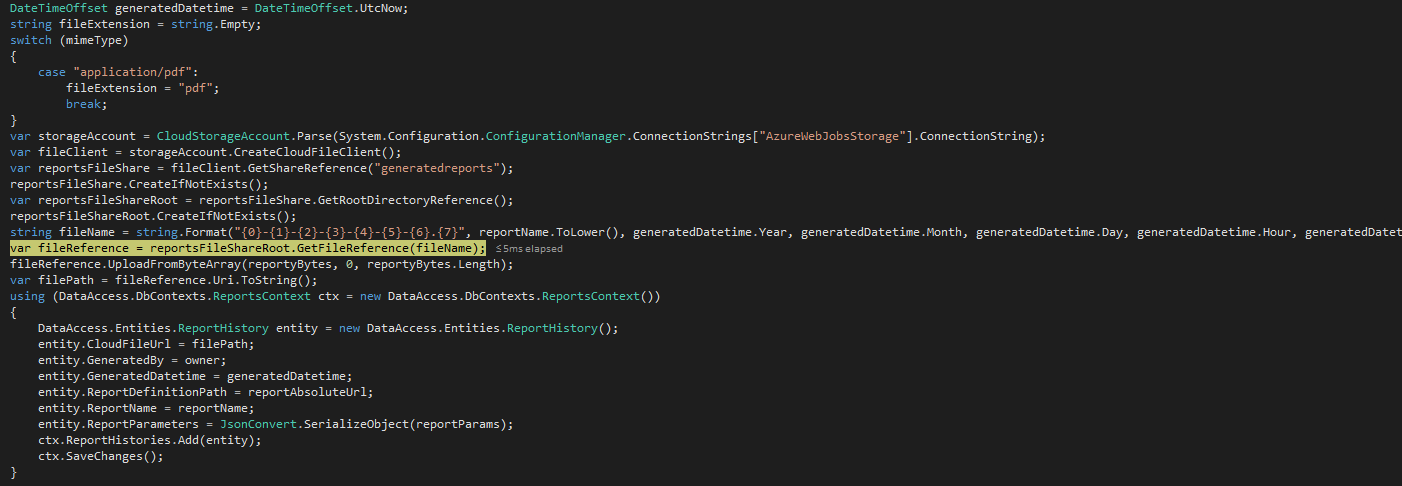
The LoadReport method is the common implementation which generated the report's bytes so we are not showing it, once we have all that we proceed  to save information about the generated report and to persist the report as an Azure Cloud File.


We save the generated report info along with its cloud file url in a table named ReportHistory.


Once we have that we can go to the list of reports, which read the information from the database.


Now we click on Download Report and it will proceed to read the Cloud File and download it.

We open the file and we have the expected contents.


Do you know of other solutions? Please feel free to share them in the comments and don't forget to

miércoles, 7 de octubre de 2015

Cree su propio servidor de Moodle en cuestión de minutos


Hoy día la facilidad que nos brindan los servicios en la nube incrementa exponencialmente las posibilidades.


Moodle es un Ambiente Educativo Virtual y un sistema de gestión de cursos que ayuda a facilitar el proceso de aprendizaje.

Gracias a los servicios de Microsoft Azure, podemos crear un servidor de Moodle en cuestión de minutos.

Basta con crear una máquina virtual a partir de las plantillas de Moodle en el VM Depot.


En el siguiente video puede ver un ejemplo del proceso de creación de un servidor de Moodle en Microsoft Azure


Para obtener más información contáctenos

martes, 6 de octubre de 2015

Notificación de errores utilizando servicios en la nube

¿Sabía usted que puede aprovechar las ventajas de los servicios en la nube para crear servicios de notificación de errors críticos?

En todo sistema informático es común que existan errores inesperados,
por eso es vital que todo sistema almacene información de estos errores cuando ocurren.


Image made by sv:Användare:Chrizz retrieved from Wikipedia

Una de las técnicas más utilizadas a la hora de que pasen estos errores inesperados, es almacenar toda la información posible en una base de datos: mensaje de error, hora y fecha exacta, dispositivo en el que sucedió, y en que lugar de la aplicación ocurrió el error.

Con Microsoft Azure puede aprovechar los Worker Role para crear servicios que se encuentren constantemente verificando si hay nuevos errores y enviar una notificación de esos errores a algún administrador. Para no generar spam pero detectar errores críticos a tiempo podría configurar reglas como solo enviar las notificaciones si hay más de 100 errores en una hora por ejemplo.


En el siguiente video podrá ver un ejemplo de cómo crear Worker Roles en Visual Studio,
uno es rol de prueba para crear tuplas de errores en la base de datos, de manera que exista información, el otro rol se encarga de buscar cuales errores existen en la base de datos que no se encuentren aún procesados, y finalmente procede a enviar un correo electrónico con el detalle de esos errores.

La ventaja de utilizar Worker Roles, es que se pueden publicar en Microsoft Azure, donde se ejecutarán automáticamente una vez que han sido publicados.


Para mayor información acerca de los servicios en la nube contáctenos

martes, 25 de agosto de 2015

Cree encuestas con Sharepoint Online en Office 365 y ahorre papel

¿Parte de su negocio requiere imprimir encuestas?
¿Tiene el problema de que apenas le ven con encuestas en la mano las personas le huyen?

Con Sharepoint Online en Office 365 usted puede crear encuestas almacenadas en su portal en la nube.

Una vez que ha terminado de diseñar la encuesta usted puede compartir el URL de la encuesta y además puede ir a cualquier lugar y aplicar las encuestas desde su teléfono móvil o tablet.

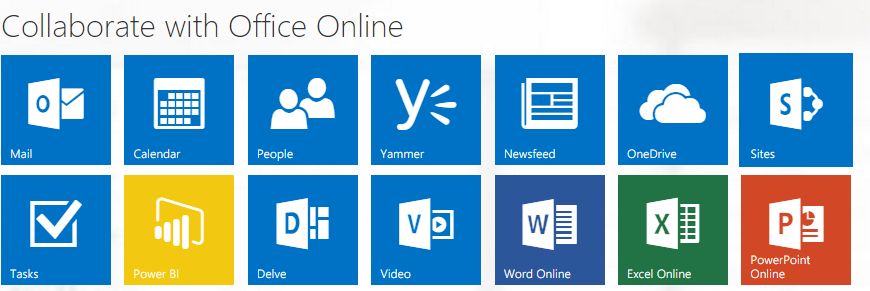
Para crear una encuesta ingrese a su portal de Office 365( la url del portal es portal.office.com), luego ingrese a "Sites" y por último ingrese a alguno de los sitios en la lista.


Una vez ubicado en el sitio verá un menú como el siguiente:


Haga click en "+" y seleccione "Encuesta de Excel"


Ingrese un nombre y proceda a diseñar su encuesta.


Una vez que ha diseñado encuesta selecciona compartir y copie el URL, este último es URL que debe compartir para recolectar los datos.


Conforme se vayan enviando los resultados de la encuesta, su archivo en Sharepoint Online irá mostrando los resultados


Si quiere ver sus datos de una mejor manera puede utilizar Power BI alimenándolo con la copia local del archivo de su encuesta y podría ver algo así:


Para más información sobre Office 365 y servicios en la nube, puede contactarnos a services@pticostarica.com

lunes, 17 de agosto de 2015

¿Por qué usar Microsoft Azure?

Sam Johnston - Created by Sam Johnston using OmniGroup's OmniGraffle and Inkscape (includes Computer.svg by Sasa StefanovicThis vector image was created with Inkscape.

Primero que nada, ¿qué es Microsoft Azure?, de acuerdo con la descripción en su sitio
"Azure es la plataforma de informática en la nube de Microsoft, una colección cada vez mayor de servicios integrados (análisis, proceso, bases de datos, móviles, redes, almacenamiento y web) para moverse con más rapidez, llegar más lejos y ahorrar dinero".


¿Qué significa esto?
Significa que utilizando Azure podemos utilizar más de 240 servicios a través de internet, para aumentar nuestra productividad, disminuir costos en infraestructura, mantenimiento, personal, entre otros.


¿Quienes utilizan Azure?
Entre algunas de las empresas que utilizan Azure y que son bastante conocidas se encuentran: Pearson, Xerox, 3M, GE Healthcare, y Heineken.
Para ver toda la información acerca de cómo lo utilizan visite el sitio de Casos Prácticos, se recomienda ver la diferentes versiones ya que cambia según el idioma en el que se muestre, el cual se puede cambiar desde el final de la página.

¿Pero, qué servicios me brinda?
Estos son solo algunos de los servicios que ofrece Microsoft Azure, para ver una lista completa la puede ver acá

Si desea saber más de Microsoft Azure, o crear soluciones para sus necesidades, puede contactarnos a services@pticostarica.com